Product photos6 min read
AI Model Photoshoot for Kurtis and Sarees: A Seller's Guide for 2026
Model photos for every kurti in your catalogue, from one clear photo of the garment, without booking a studio.
By the Inboxa team
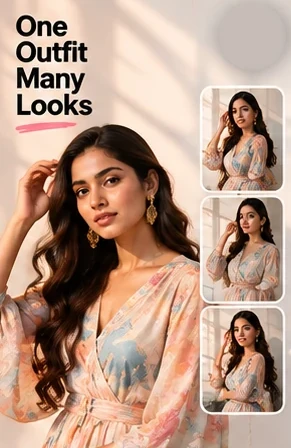
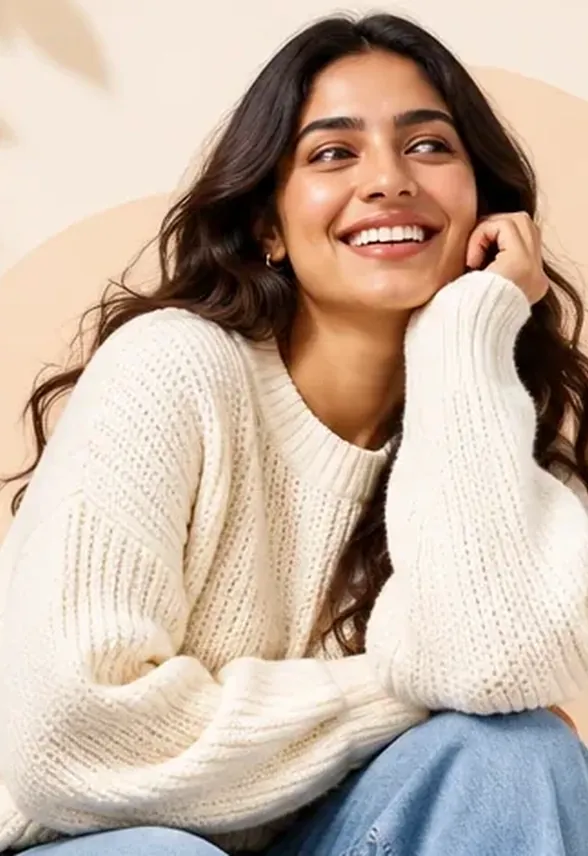
You have 40 new kurtis for the festive season and one studio day. A model, a photographer and a stylist cost more than the first month of sales on half of those designs, so most of the catalogue goes live as flat-lays on a bedsheet, and the listings that need to sell the most look the least ready.
An AI model photoshoot fixes the gap between those two. From one clear photo of the garment, AI puts it on a model, from the angles a marketplace asks for, in the size each store wants. This guide shows how it works for kurtis, sarees and other Indian wear, what to shoot, what to check, and where AI still gets it wrong.
Quick answer
An AI model photoshoot turns one clear photo of a garment into photos of a model wearing it. Upload a flat-lay or hanger photo of the kurti or saree, pick the model and the views, and download them sized for Myntra, Flipkart, Amazon, Ajio and Meesho. With Inboxa, each view costs 15 credits and is drawn once, then fitted to every store you pick.
What is an AI model photoshoot?
It is a product photo of a person wearing your garment, made by AI instead of a camera. You give it the garment; it gives back a model in a setting, lit like a studio shot. The garment's colour, print and cut come from your photo, so the clearer that photo is, the closer the result.
How does an AI fashion photoshoot work?
- Upload the garment. A flat-lay, a hanger shot or a mannequin photo. If the photo already has a person in it, only the garment is kept.
- Pick the model. Choose the model's age and look, or let the app pick one for the garment.
- Pick the views. Front only, front and a fabric close-up, a side view, or all four sides: front, back, left and right.
- Pick the stores. Each view is drawn once and fitted to every store's listing size.
- Check and download. Look at every view before it goes live (see the checklist below).
Marketplace image sizes for Indian fashion sellers
Each store wants its own frame. These are the sizes Inboxa's Photo Pack exports for each, so the same model photo fits every listing without a crop that cuts off the hem:
| Store | Listing size |
|---|---|
| Myntra | 1,500 × 2,000 px |
| Ajio | 1,500 × 2,000 px |
| Amazon | 2,000 × 2,000 px |
| Flipkart | 1,000 × 1,000 px |
| Meesho | 1,000 × 1,000 px |
How to shoot a kurti or saree for AI
- Lay it flat in daylight, on a plain sheet that is a different colour from the garment.
- Show the whole piece: neckline, sleeves, hem and any side slits. For a saree, show the pallu and the border.
- One garment per photo. Shoot a kurta set's dupatta separately if you want it in the final picture.
- Add a close-up of the print or embroidery. It helps the close-up view keep the detail.
- No filters. A warm filter changes the colour the buyer will see, and returns follow.
Where AI still gets Indian wear wrong
Be honest with yourself about this list. AI is good at plain and printed kurtis, tops and dresses. It needs a careful check on:
- Saree drapes: the pleats, the pallu and the border's path can come out in a style your saree is not usually worn in.
- Fine embroidery and zari: small motifs can be simplified. Compare the close-up with the real piece.
- Exact colour: jewel tones and pastels can shift. Hold the photo next to the garment in daylight.
- Lengths and slits: check that the kurta's length and slits match the real cut.
If a view does not match, redraw it or leave it out. A listing photo that differs from the product is the fastest way to a return.
AI fashion photography for Indian sellers: what's different
- Five stores, five sizes: most Indian sellers list on more than one marketplace, so export once for all of them.
- Festive catalogue spikes: dozens of new designs arrive before Diwali and the wedding season. Do the whole set in a day, not a month.
- Instagram as the shop window: the same model photos make your Instagram posts and reels, so the feed and the listing match.
- Consent: if you upload a photo with a real person in it, you need their permission. Inboxa asks you to confirm before such a photo is used.
What does an AI model photoshoot cost?
In Inboxa, a model photo uses 15 credits, and a Photo Pack view uses 15 credits, whatever the number of stores it is sized for. New accounts start with 20 free credits. The Starter plan (₹999 a month) has 100 credits a month, and up to eight garments can be photographed at once. See pricing for every plan, and Instagram marketing for fashion brands for the posts and reels that go with the photos.
Common mistakes to avoid
- A crumpled or dark garment photo: the AI copies the creases and the shadows.
- Publishing without checking colour, print and length against the real piece.
- Using the same model and pose for every design, so the catalogue looks like one product.
- Skipping the back view on pieces with a back design or a deep neck.
Frequently asked questions
Can AI make model photos of a kurti from a flat-lay?
Yes. Upload a clear, evenly lit flat-lay of the kurti, pick a model and the views you need, and AI places the garment on the model. Check the colour, print and length against the real kurti before you publish.
Does AI work for saree model photoshoots?
It can, but sarees need the most careful check. Pleats, the pallu and the border's path can come out differently from how the saree is usually draped, so compare each view with the real saree and redraw any that do not match.
What image size does Myntra need for product photos?
Inboxa's Photo Pack exports Myntra and Ajio listings at 1,500 × 2,000 px, Amazon at 2,000 × 2,000 px, and Flipkart and Meesho at 1,000 × 1,000 px. Stores update their rules, so confirm the current size in your seller panel.
How much does an AI model photoshoot cost in India?
With Inboxa, each Photo Pack view uses 15 credits and is fitted to every store you pick at no extra cost. New accounts get 20 free credits, and the Starter plan at ₹999 a month includes 100 credits.
Is it allowed to use AI model photos on Indian marketplaces?
Marketplaces ask that product photos show the real product accurately. AI model photos are used widely as long as the garment's colour, design and fit match what the buyer receives. Check each store's current image policy.
Can I upload a photo of a real model wearing my kurti?
Yes, if you have that person's permission. When a photo has a person in it, Inboxa keeps only the garment for the new photo and asks you to confirm you have the right to use the upload.
Photograph your next collection without a studio
Start with 20 free credits and turn one garment photo into model photos for every store you sell on.
Start free